
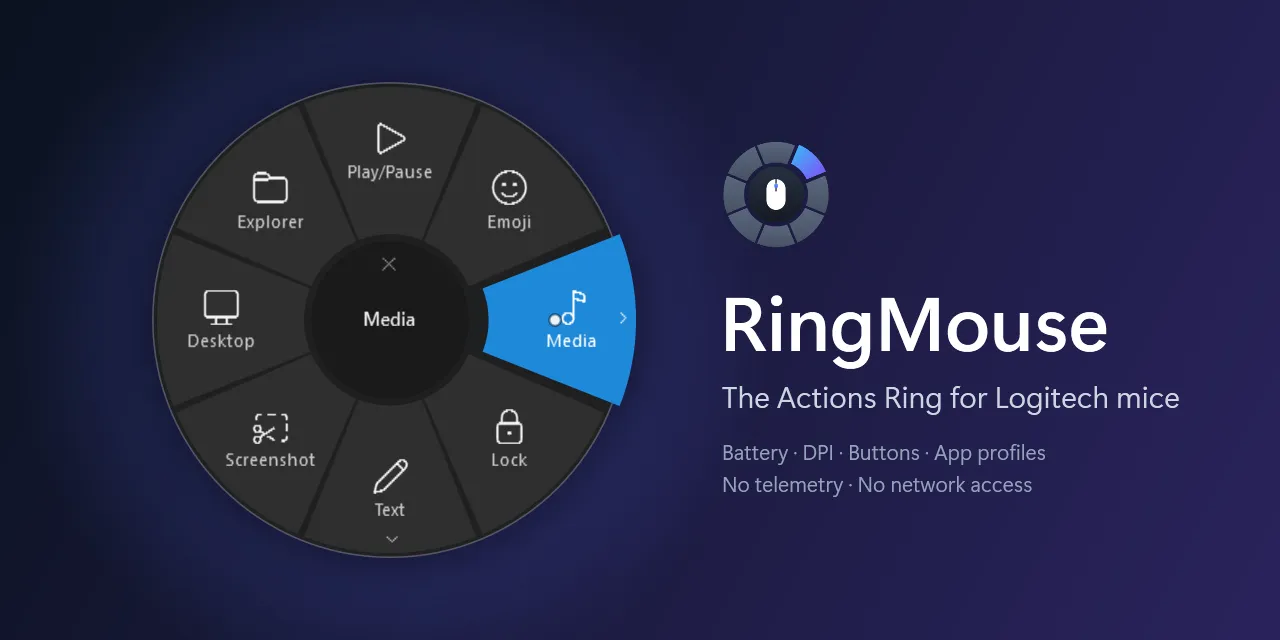
RingMouse
The Actions Ring from Logi Options+ as a small standalone Windows app. Plus battery level, DPI, button mapping and per-app profiles. No driver, no telemetry.
- csharp
- dotnet
- hidpp
- logitech
- Language
- C#
- Version
- v1.1.4
- Updated
A few things I built with AI. How each one came about is on its own page.
The Actions Ring from Logi Options+ as a small standalone Windows app. Plus battery level, DPI, button mapping and per-app profiles. No driver, no telemetry.
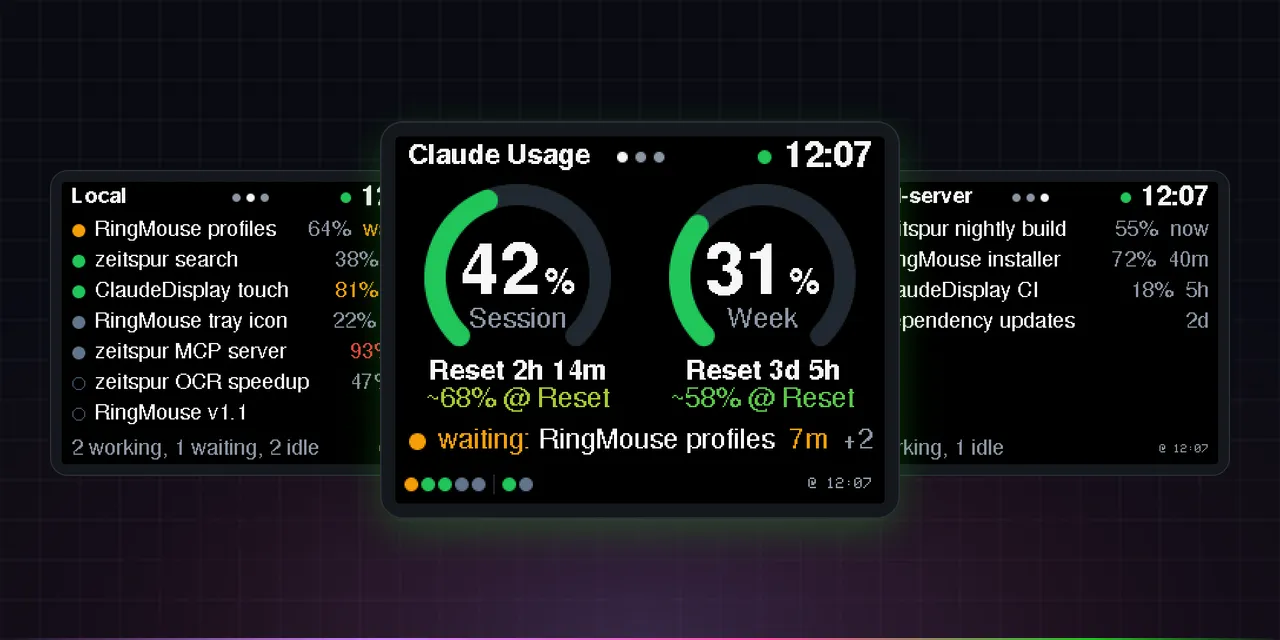
A small touch display on my desk. Shows me how much of my Claude limit is left and which session is waiting for me. Runs over USB, no Wi-Fi and no token on the device.
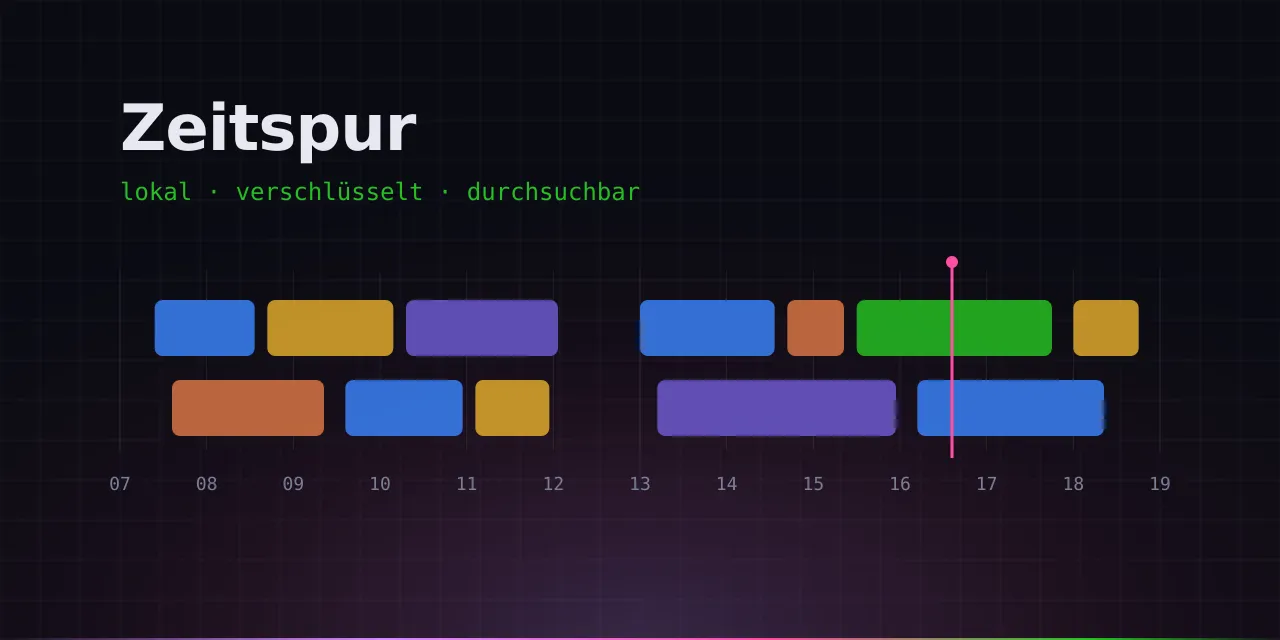
A history for Windows of what I did on my PC, local and encrypted. Basically Windows Recall, just the way I want it. With screenshots, text recognition, a timeline and an MCP server, so I can ask Claude what I was working on last Wednesday at noon.
Share your location with family and friends without a company reading along. An app for iPhone, Watch and Apple TV with a map, SOS, places and chat. End-to-end encrypted, no server of its own, no ads. Currently in beta.
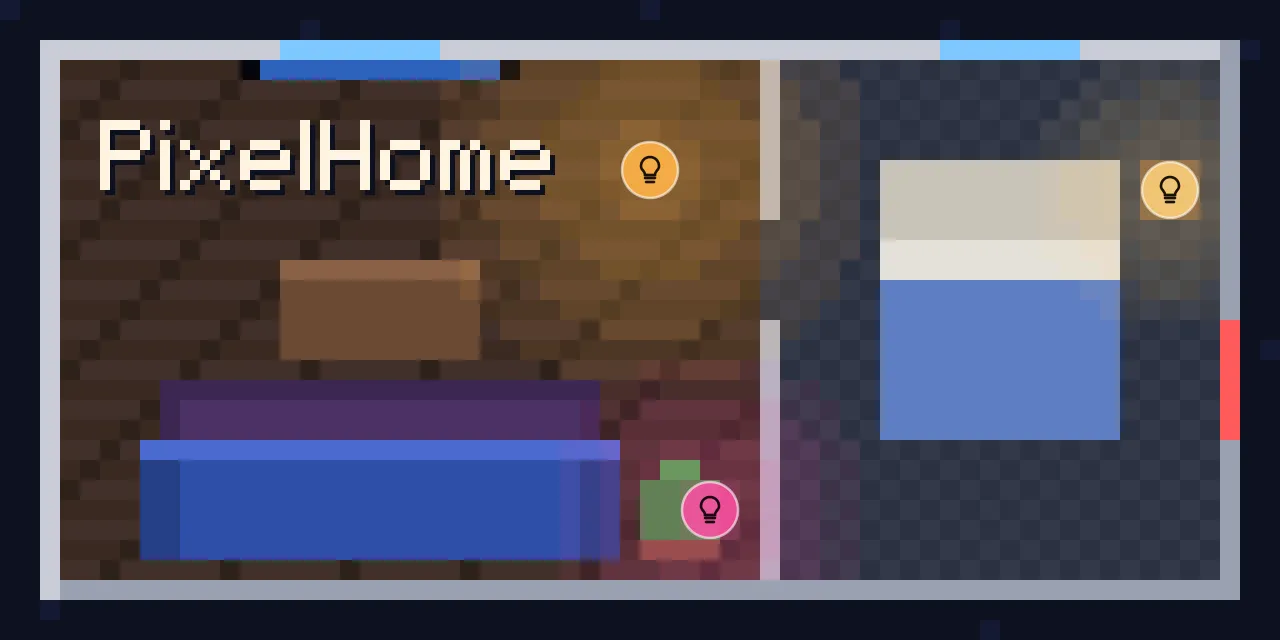
My apartment as a pixel floor plan in Home Assistant. The lamps glow on the plan in their real color, a tap switches them, and open windows turn red. Still in progress, maybe for everyone someday.

Clean up huge Spotify playlists like Tinder. A song shows up, swipe right to put it in the new playlist, swipe left and it's gone. An iPhone app, still in progress.
Everything that happened in my projects lately. Releases get their own entry, smaller changes are bundled per week. Pulled straight from GitHub.
Commits across all projects since 3 October
Busiest day: 51 commits on 12 October.
RingMouse v1.1.4
Autostart no longer breaks silently when the exe is moved. Until now, a Run entry or scheduled task kept pointing to the old place, and RingMouse simply did not start any more. Now RingMouse checks on every start where its autostart points:
Settings → General now also shows where the autostart points and warns if that file is gone.
"Set up autostart now" with the scheduled task works again. Since v1.1.2, RingMouse checks the newly created task
before keeping it, but could not read it back (schtasks returns its XML in the console code page, not UTF-16). The
task was then deleted again and the settings reported "Could not create the scheduled task (UAC cancelled?)".
RingMouse now reads the task through the Windows Task Scheduler API, exactly and including special characters in
user names.
| File | What it is |
|---|---|
RingMouse.exe | The app – a single self-contained file, no installation and no .NET needed |
RingMouse-uiAccess.zip | Optional variant that may also operate windows running with admin rights (see the README) |
ringmouse-probe.exe | Diagnostic tool for bug reports |
SHA256SUMS.txt | SHA-256 checksums of all files |
From v1.1.3 on, RingMouse installs this update by itself. Updating by hand: quit RingMouse (tray → Exit), replace
RingMouse.exe, start it again. The exe is not code-signed, so Windows SmartScreen may warn on the first start:
More info → Run anyway. Verify your download against SHA256SUMS.txt.
Deutsch: Der Autostart geht nicht mehr still kaputt, wenn die Exe verschoben wird. RingMouse prüft bei jedem Start, wohin sein Autostart zeigt: Ein Run-Eintrag auf eine nicht mehr vorhandene Datei wird automatisch umgebogen. Eine Aufgabe lässt sich nur per UAC neu anlegen – bis dahin startet RingMouse über einen Run-Eintrag, und eine Meldung erklärt, wie die Aufgabe wiederhergestellt wird (Einstellungen → Allgemein → Autostart jetzt einrichten). Ein Autostart auf eine andere vorhandene Kopie bleibt unangetastet; die Einstellungen zeigen jetzt, wohin der Autostart zeigt. Außerdem funktioniert „Autostart jetzt einrichten“ als Aufgabe wieder – seit v1.1.2 konnte RingMouse die neue Aufgabe nicht zurücklesen (schtasks liefert die XML in der Konsolen-Codepage) und hat sie wieder gelöscht. Neu: RingMouse trägt sich ins Startmenü ein (ohne Adminrechte), damit es sich jederzeit von Hand starten lässt; läuft es schon, öffnen sich die Einstellungen. Der Eintrag wird nach einem Umzug ebenso repariert und lässt sich abschalten.
Zeitspur 0.4.1
Zeitspur: verschlüsselter, lokaler Aktivitätsverlauf für Windows mit Zeitstrahl und MCP-Server für Claude.
ZeitspurSetup-0.4.1.exe herunterladen und ausführen. Keine Administratorrechte nötig, installiert nur für das eigene
Benutzerkonto. Eine vorhandene Installation wird aktualisiert; Datenbank, Schlüssel und Einstellungen bleiben
erhalten. Danach hält sich Zeitspur selbst aktuell (abschaltbar unter Einstellungen → Updates).
SHA-256 ZeitspurSetup-0.4.1.exe:
86521511e4f6cee39ce78db8ec443644435e842363c8472a2b4a6fddb03cba16
latest.json ist die signierte Update-Information, aus der sich installierte Versionen aktualisieren.
Claude-Usage-Display v2.8.0
Standby: Kommt 60 s nichts vom PC (Laptop schlaeft, abgedockt, Collector laeuft nicht), geht das Display aus und von selbst wieder an, sobald Daten kommen. Tippen weckt es fuer 30 s. Vorher blieb z. B. beim Andocken "Waiting for data" stehen, bis der Laptop wach und entsperrt war. Neu im Repo: CHANGELOG und Status-Badges in der README.
Firmware 2.8.0. Mit 2.7.0 auf dem Display erscheint das Update-Banner; zweimal antippen genuegt.
RingMouse v1.1.3
RingMouse can now keep itself up to date. It checks GitHub for a new signed release a few minutes after start and every 12 hours, downloads it and installs it once the PC has been idle for a few minutes. You can turn this off or trigger it manually under Settings → General → Updates.
latest.json; RingMouse only installs an update whose signature
matches its built-in key and whose version is newer. Taking over the download source or the GitHub account is not
enough to push foreign code.install-uiaccess.ps1.This is the last update you have to install by hand. From v1.1.3 on, RingMouse updates itself (unless you turn it off).
| File | What it is |
|---|---|
RingMouse.exe | The app – a single self-contained file, no installation and no .NET needed |
RingMouse-uiAccess.zip | Optional variant that may also operate windows running with admin rights (see the README) |
ringmouse-probe.exe | Diagnostic tool for bug reports |
SHA256SUMS.txt | SHA-256 checksums of all files |
Updating: quit RingMouse (tray → Exit), replace RingMouse.exe, start it again. The exe is not code-signed, so Windows
SmartScreen may warn on the first start: More info → Run anyway. Verify your download against SHA256SUMS.txt.
Deutsch: RingMouse aktualisiert sich ab jetzt selbst – es prüft GitHub auf ein neues, signiertes Release, lädt es und installiert es, sobald der PC eine Weile unbenutzt ist (unter Einstellungen → Allgemein → Updates abschaltbar oder manuell auslösbar). Installiert wird nur, was mit dem eingebauten Schlüssel signiert ist und neuer ist – die Übernahme der Download-Quelle oder des GitHub-Kontos genügt also nicht für Fremdcode. Die Update-Prüfung ist die einzige Netzwerkverbindung. Die uiAccess-Variante meldet nur und wird manuell aktualisiert. Dies ist das letzte Update, das du von Hand einspielen musst.
RingMouse v1.1.2
A security and robustness hardening release. No breaking changes; existing configurations keep working.
logs\ringmouse-*.log.SECURITY.md: documents the trust model
(the configuration is executable), the uiAccess residual risk, and how to report a vulnerability.install-uiaccess.ps1 no longer adds its certificate to the TrustedPublisher store (the Root store is enough for the
signature check uiAccess requires). If you use the uiAccess variant, re-run the script and confirm
Settings → Info shows "uiAccess yes".| File | What it is |
|---|---|
RingMouse.exe | The app – a single self-contained file, no installation and no .NET needed |
RingMouse-uiAccess.zip | Optional variant that may also operate windows running with admin rights (see the README) |
ringmouse-probe.exe | Diagnostic tool for bug reports |
SHA256SUMS.txt | SHA-256 checksums of all files |
Updating: quit RingMouse (tray → Exit), replace RingMouse.exe, start it again. The exe is not code-signed, so Windows
SmartScreen may warn on the first start: More info → Run anyway. Verify your download against SHA256SUMS.txt.
Deutsch: Sicherheits- und Stabilitäts-Release ohne funktionale Einschränkungen. Der Import warnt jetzt deutlich,
wenn eine Konfiguration Programme oder PowerShell ausführt; Textbausteine, PowerShell-Befehle und Startargumente landen
nicht mehr im Log; die Autostart-Aufgabe wird nach dem Anlegen überprüft; der Datenordner wird beim Start abgeriegelt.
Dazu Härtung gegen fehlerhafte Geräteantworten, Absturzschutz (der Mauszeiger bleibt nie versteckt) und eine neue
SECURITY.md. Wer die uiAccess-Variante nutzt, sollte
install-uiaccess.ps1 erneut ausführen und unter Einstellungen → Info „uiAccess ja" prüfen.
Zeitspur 0.4.0
Zeitspur: verschlüsselter, lokaler Aktivitätsverlauf für Windows mit Zeitstrahl und MCP-Server für Claude.
ZeitspurSetup-0.4.0.exe herunterladen und ausführen. Keine Administratorrechte nötig, installiert nur für das eigene
Benutzerkonto. Eine vorhandene Installation wird aktualisiert; Datenbank, Schlüssel und Einstellungen bleiben
erhalten. Danach hält sich Zeitspur selbst aktuell (abschaltbar unter Einstellungen → Updates).
SHA-256 ZeitspurSetup-0.4.0.exe:
cc75a37d0227c074abed8bed088a025d3430a86c35a91b232906293c518b9ba1
latest.json ist die signierte Update-Information, aus der sich installierte Versionen aktualisieren.
Zeitspur 0.3.2
Zeitspur: verschlüsselter, lokaler Aktivitätsverlauf für Windows mit Zeitstrahl und MCP-Server für Claude.
ZeitspurSetup-0.3.2.exe herunterladen und ausführen. Keine Administratorrechte nötig, installiert nur für das eigene
Benutzerkonto. Eine vorhandene Installation wird aktualisiert; Datenbank, Schlüssel und Einstellungen bleiben
erhalten. Danach hält sich Zeitspur selbst aktuell (abschaltbar unter Einstellungen → Updates).
SHA-256 ZeitspurSetup-0.3.2.exe:
b92fb6e9cda4004b45ca7f75ad52f0f783bc984d71a48f7355e3d1fdce5a8203
latest.json ist die signierte Update-Information, aus der sich installierte Versionen aktualisieren.
RingMouse v1.1.1
RingMouse.exe now calls RingMouse what it is: an alternative to the Actions Ring of
Logi Options+ – not a replacement for Options+ as a whole.| File | What it is |
|---|---|
RingMouse.exe | The app – a single self-contained file, no installation and no .NET needed |
RingMouse-uiAccess.zip | Optional variant that may also operate windows running with admin rights (see the README) |
ringmouse-probe.exe | Diagnostic tool for bug reports |
SHA256SUMS.txt | SHA-256 checksums of all files |
Updating: quit RingMouse (tray → Exit), replace RingMouse.exe, start it again. The exe is not code-signed, so Windows
SmartScreen may warn on the first start: More info → Run anyway.
Deutsch: Neues Logo und App-Icon; die Dateibeschreibung der Exe nennt RingMouse jetzt eine Alternative zum Actions Ring von Logi Options+ statt eines Ersatzes für Options+. Keine funktionalen Änderungen gegenüber v1.1.0.
RingMouse v1.1.0
.lp5). A backup is created before every import.RingMouse.exe --import-report <file> shows what an Options+ import would produce, without changing anything.| File | What it is |
|---|---|
RingMouse.exe | The app – a single self-contained file, no installation and no .NET needed |
RingMouse-uiAccess.zip | Optional variant that may also operate windows running with admin rights (see the README) |
ringmouse-probe.exe | Diagnostic tool for bug reports |
SHA256SUMS.txt | SHA-256 checksums of all files |
Updating: quit RingMouse (tray → Exit), replace RingMouse.exe, start it again. The exe is not code-signed, so Windows
SmartScreen may warn on the first start: More info → Run anyway.
Deutsch: Neu ist der Import aus Logi Options+ (Actions Ring samt Ordnern, Tastenbelegungen und App-Profile – in der
Ersteinrichtung oder unter Einstellungen → Allgemein) sowie Export und Import der RingMouse-Konfiguration, auch von
aus Options+ exportierten Ring-Presets (.lp5). Vor jedem Import wird eine Sicherung angelegt. Details im
deutschen README.
The change notes are exactly what is on GitHub. RingMouse ↗ · ClaudeDisplay ↗ · Zeitspur ↗ · Leuchtturm ↗